
department help center
Agent Portal Support
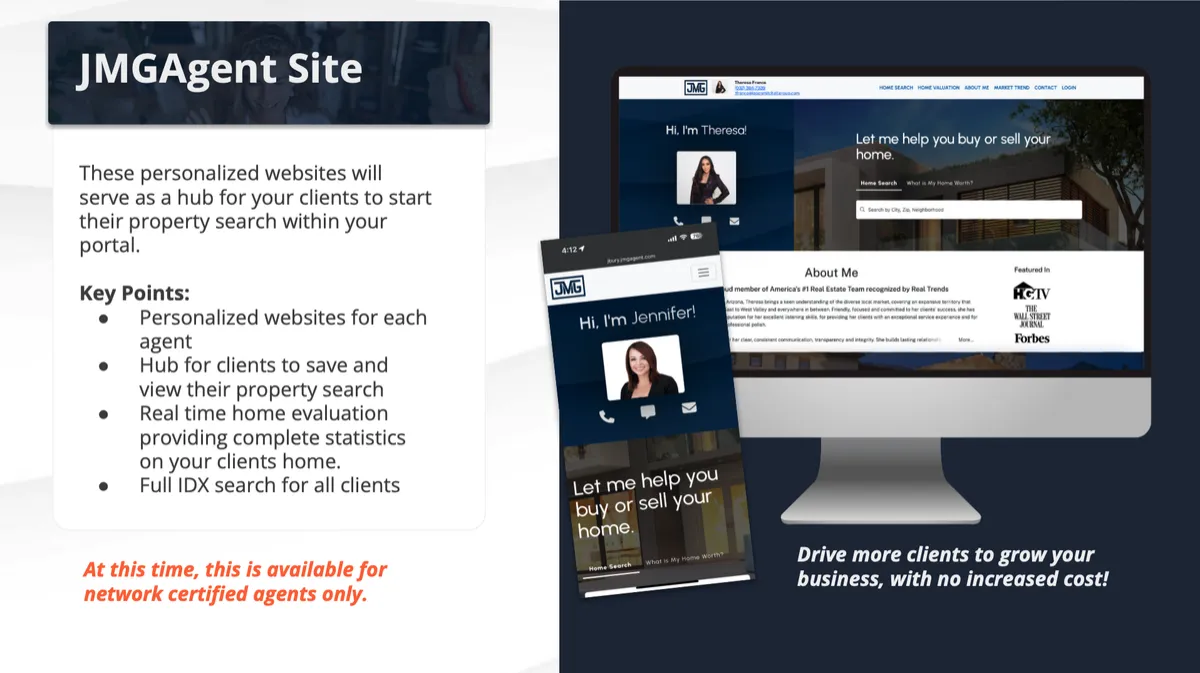
Needing help activating your agent portal? No problem! We're here to help! This page will take you step-by-step on the process to get into your personalized HomeAdvantage dashboard.
JMG Agent portal sUPPORT
Welcome Email
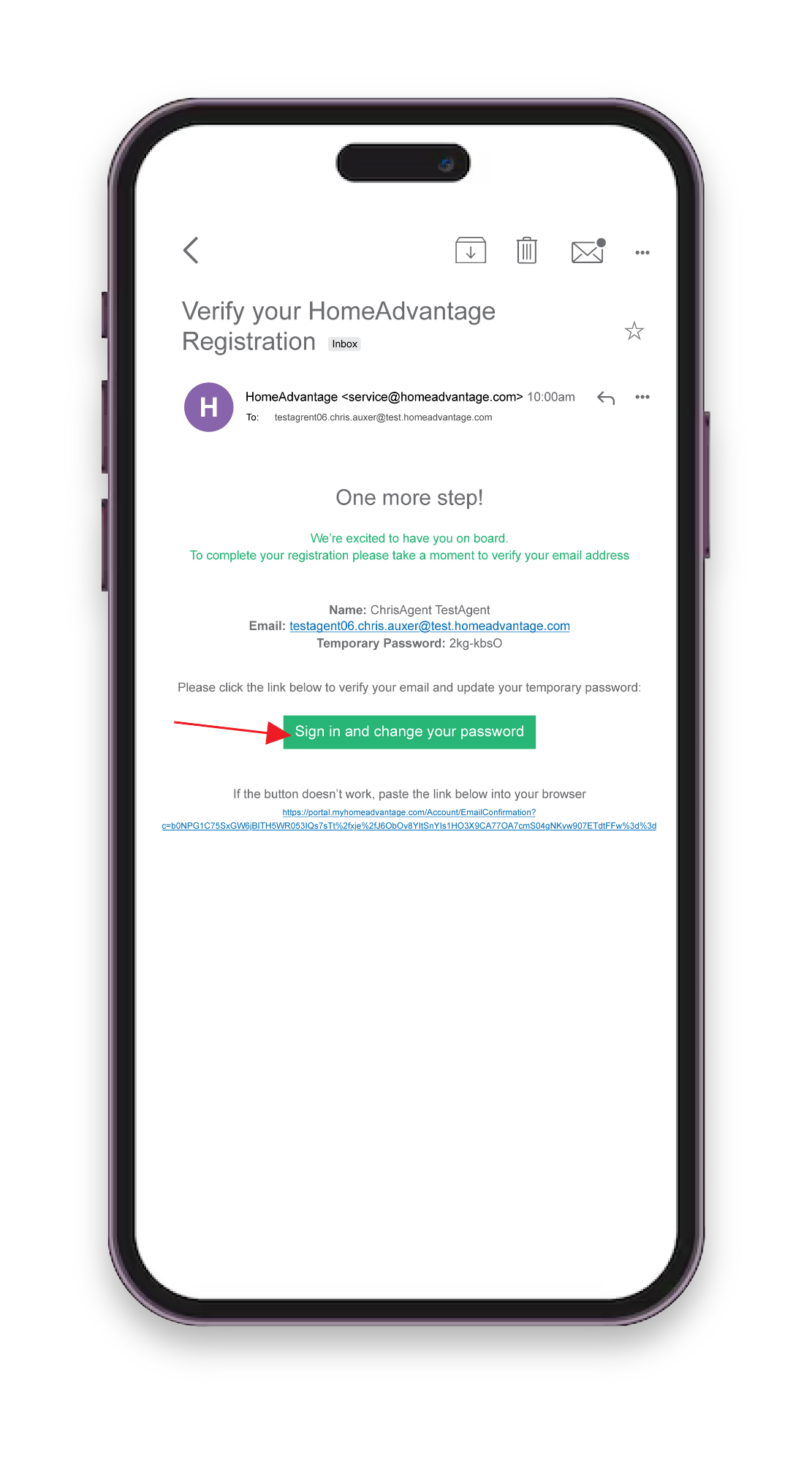
After your file is processed in RMS, you will receive a Welcome email prompting you to activate your account.
This includes:
Temporary Password
Link to Verify Email
Prompt to Sign In and Update Credentials
Account Activation
Step #1
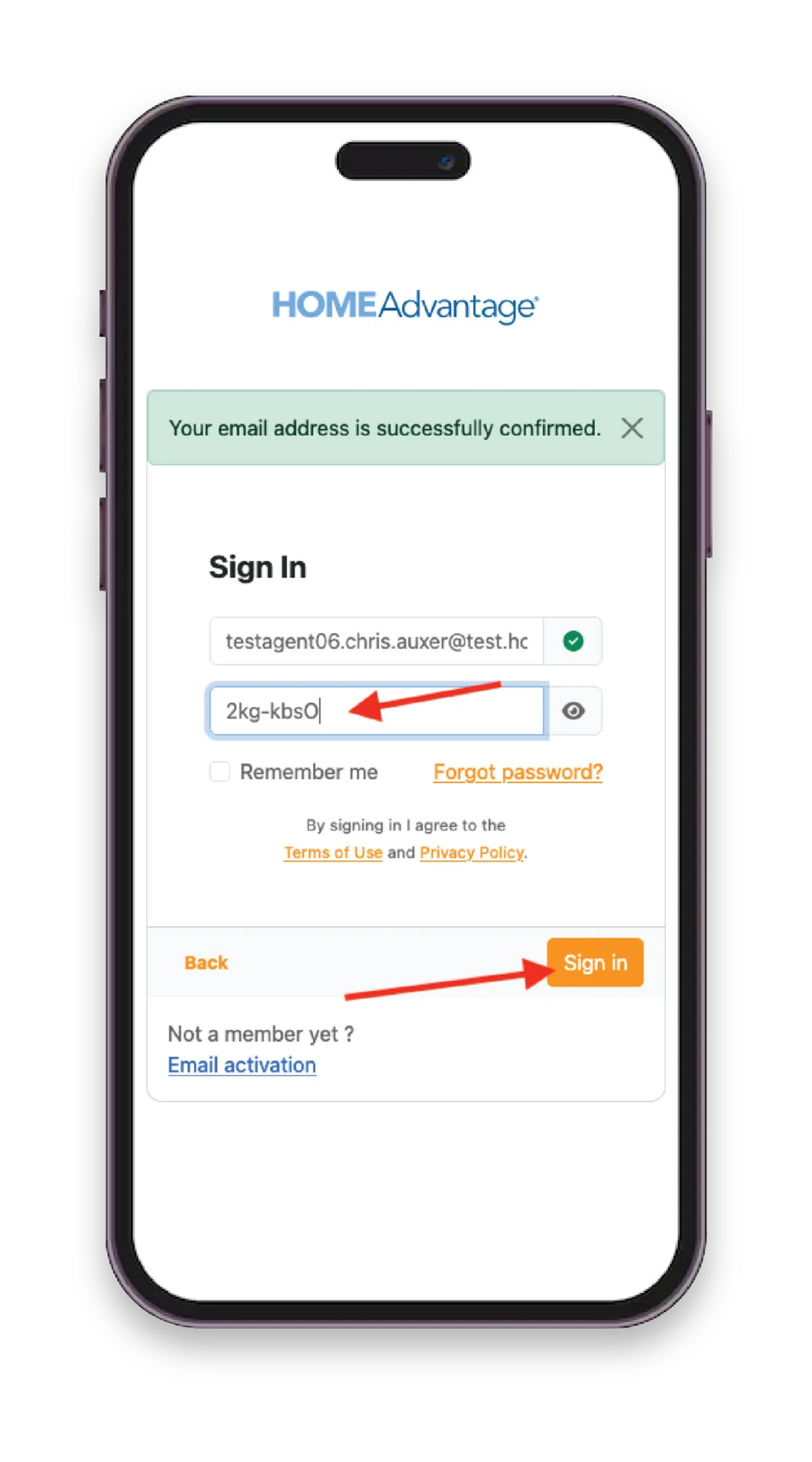
When you click ‘Sign in and change your password’, you will be redirected to sign in with a temporary password
Step #2
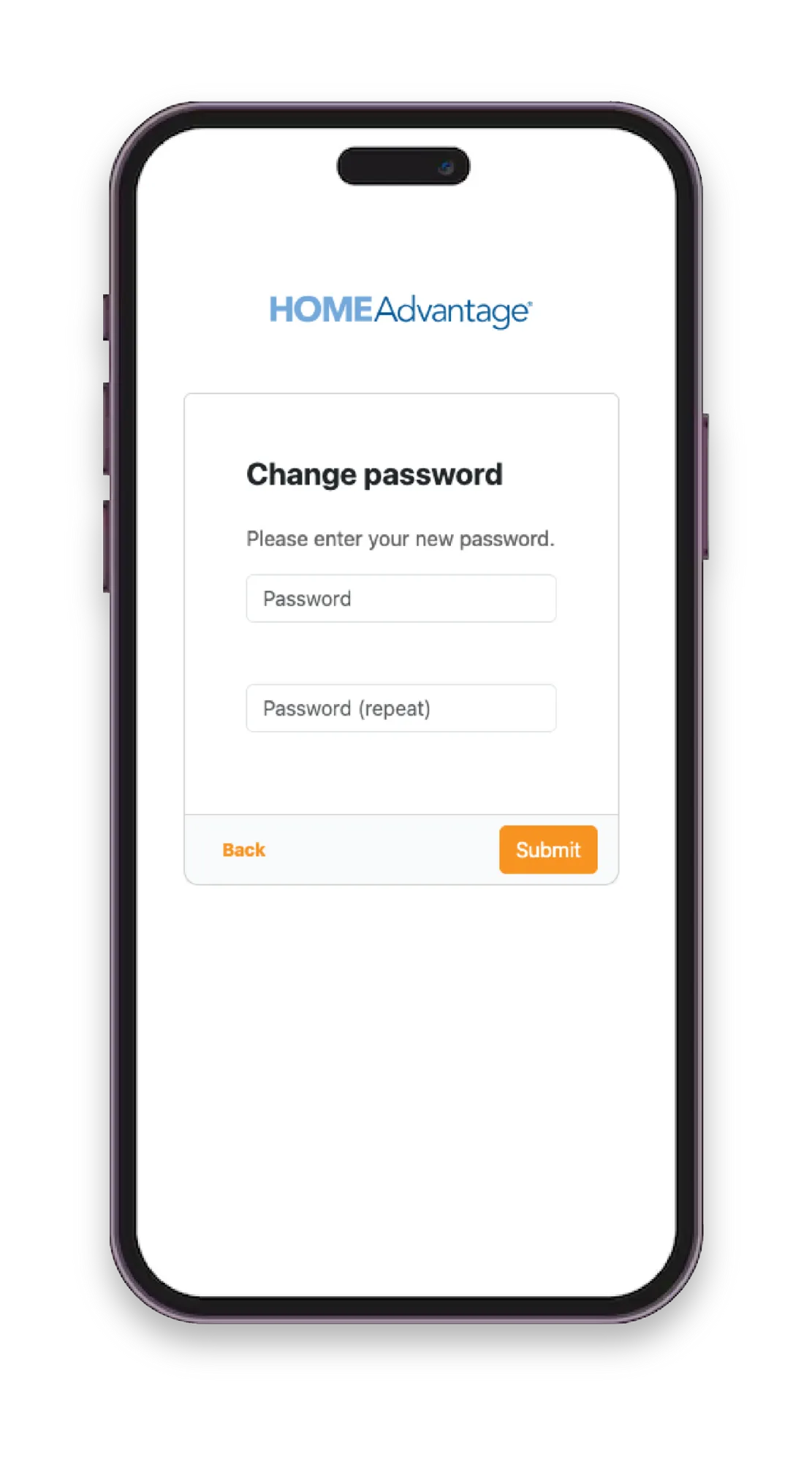
After signing in, you will be prompted to enter a new password of your choice and will then be asked to confirm it
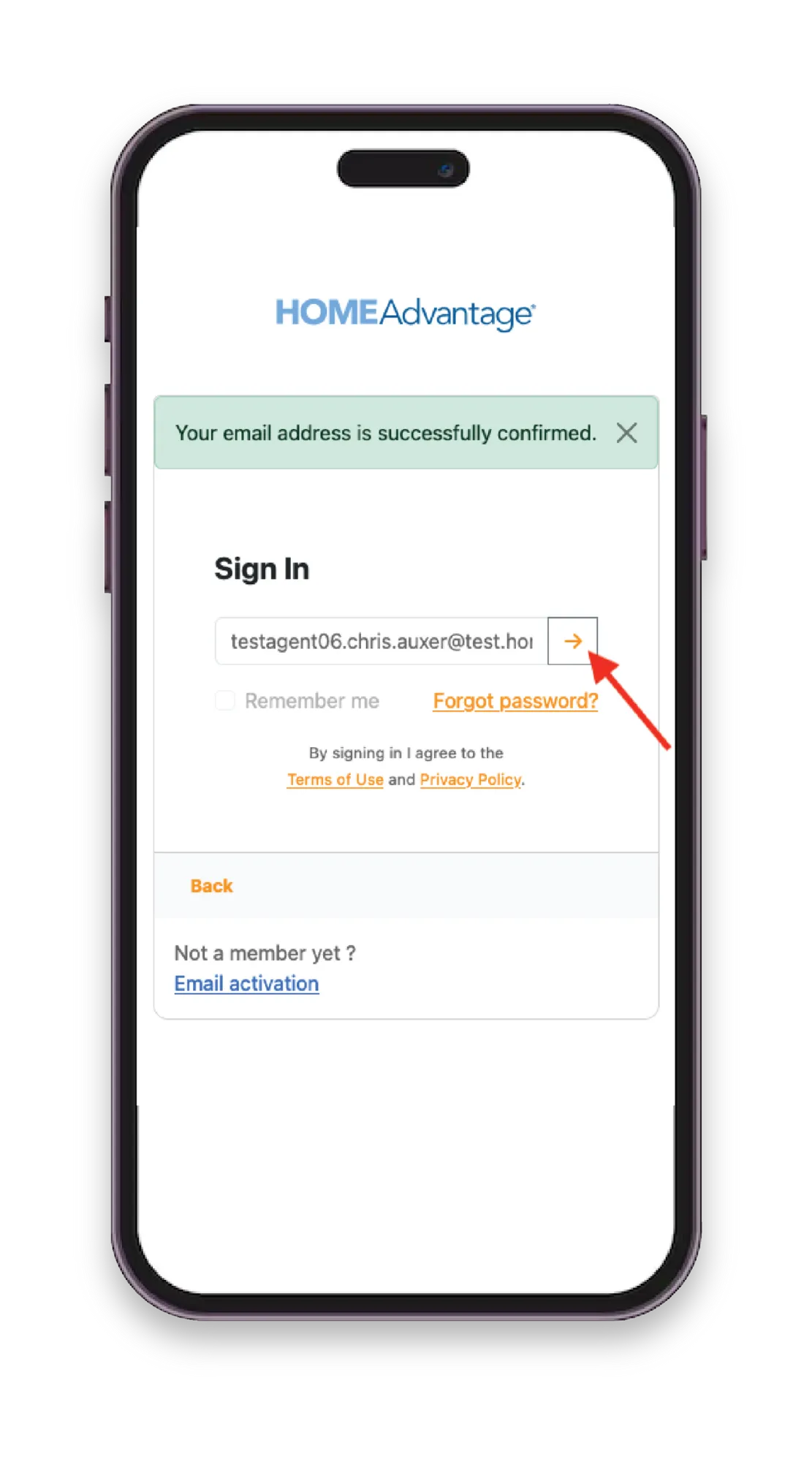
Step #3
Once your password is updated, you will automatically be directed to your personalized HomeAdvantage Dashboard
HomeAdvantage Dashboard
Needing to Visit Your HomeAdvantage Dashboard?
JMG Agent Portal Support
HomeAdvantage Resource Hub
HomeAdvantage provides a dedicated resource hub for any questions and extra help.
For technical support, you can contact
Chris Auxer
Technical Support | Security Manager
Copyrights 202X | Your Brand™ | Terms & Conditions